
The Delulu Blog
I Built MultiStream.cc To Watch Twitch, Kick, and YouTube
 By Eric Barker · July 2026
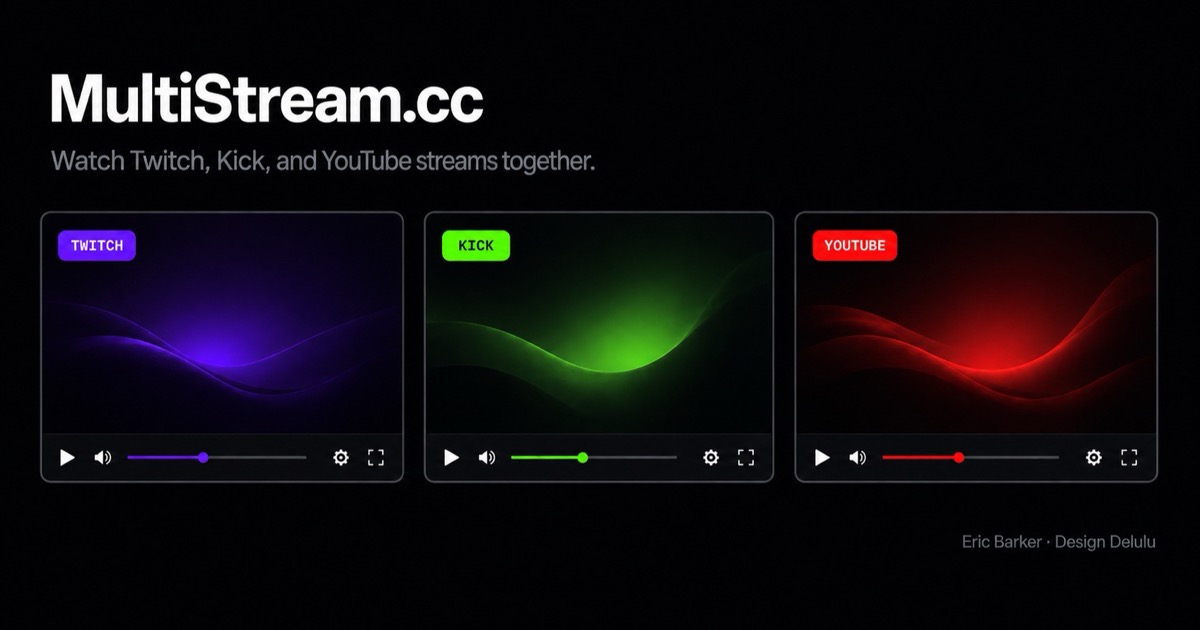
I know multistream viewers already exist. I tried them. Most felt cluttered, awkward, or arranged streams in a way that never matched how I personally watch Twitch and Kick.
So I stopped looking for the perfect one and built MultiStream.cc around my own habits. I’ve ended up using it every day.
Watch Twitch, Kick, and YouTube streams online on one page
That’s the job: open a browser, add channels or videos, and watch Twitch, Kick, and YouTube together without juggling tabs or resizing windows. MultiStream.cc packs official player embeds into a responsive 16:9 grid — free, no account, no backend. The rest of this post is why I built it this way and how I use it day to day.
I scratched my own itch
This wasn’t supposed to be a startup pitch. Most of the things I build are experiments. This one unexpectedly became something I open every time I want to follow a co-stream, a tournament weekend, or a few channels at once without rearranging a pile of browser windows.
The existing tools weren’t broken. They just weren’t designed for how I watch. I kept thinking, “I wish this worked differently” — less chrome, fewer decisions, a layout that stays out of the way, Twitch and Kick on the same page without fighting the UI. Eventually the gap between “almost right” and “right for me” was big enough to build.
I’m not claiming I invented the first multistream viewer. I’m saying I built the one I wanted to use.
A modern multistream viewer, on purpose
MultiStream.cc isn’t trying to support every possible workflow. It’s a modern multistream viewer based on how I actually watch livestreams: clean layout, minimal controls, quick stream switching, and as little friction as possible.
That framing matters. Limitations aren’t apologies — they’re design choices. I cared about these things first:
- Simple username field — type a name (or
@name), pick Twitch or Kick from the dropdown, or paste a YouTube link, handle, or channel URL. Press Enter to reuse your last platform. - Twitch + Kick + YouTube together — all three platforms on one page via official embeds, packed at the largest 16:9 size that fits.
- On-card headers — platform badge + username on every stream so you can tell who’s who without leaving the viewing plane. That’s my default.
- Hide headers toggle — collapse the top bars for a denser grid; at rest you see video only, and hovering a card opens a control strip below the embed (name, drag, focus, remove). Preference is remembered.
- Focus mode — expand one stream, unmute it, and open Twitch chat when available.
- Drag reorder — drag card headers, or the drag handle in the hover toolbar when headers are hidden. Playback keeps going.
- Twitch chat, Share, Clear — toolbar toggles and icons; Share copies your current lineup when you need it. No account, no backend.
Performance still depends on how many live embeds you open — each stream is a full platform player. Fewer streams means smoother playback, especially on laptops and phones. That’s a platform constraint, not something a wrapper can magically fix.
How I actually use it
Day to day starts at the input field. Click it, type a channel name, choose Twitch or Kick from the dropdown — done. Leading @ gets stripped. Paste a channel URL if you already have one. For YouTube I drop in a video link, a youtu.be link, a live or Shorts URL, a channel handle like @creator, a channel URL, or a channel ID — a direct video link loads that video, and a channel adds whatever it’s currently live-streaming, or tells me plainly if it isn’t live rather than loading some old upload. Each stream lands in the grid with focus and remove controls. Everything boots muted (browsers block unmuted autoplay); I unmute with focus when I want sound fast.
My preferred mode is headers on. When you’re watching four or five streams, the top bar on each card is what keeps identity attached to the picture — purple for Twitch, green accents for Kick, username right there. I don’t want extra chrome covering the video — the header on each card is enough when I’m following several streams.
Some people hate that chrome. Fair. Hit Hide headers and you get a denser viewing experience — just the players at rest. Hover any card and a slim toolbar opens below the video with the channel name, a drag handle, focus, and remove. Nothing sits on top of the embed; Twitch’s embed rules and Chrome’s visibility checks made that non‑negotiable. The toggle sticks in local storage, so you set it once and keep your preference.
From there the rest of the toolbar is light: Twitch chat docks beside the grid on desktop and tablet (and resizes players instead of covering them — covering would pause Twitch embeds). Share link copies whatever lineup you’re on. Clear all wipes the board when you want a fresh start. On phones, chat hides and streams stack in a single column.
Not finished. Already useful.
MultiStream.cc is still a work in progress. I’m not pretending otherwise. It launched with Twitch and Kick; YouTube has since joined them, so now you can mix live streams and videos from all three in the same grid. The current version already replaced the other multistream viewers I was using — which is the only bar that mattered for shipping it.
Under the hood it’s vanilla TypeScript and Vite — no React, no server, no user database. Each platform is a small adapter file registered in a shared grid and state layer. The project sits in Design Delulu Labs as an open side project, not a feature factory.
If you want to inspect the embed notes, device matrix, or deployment steps, it’s MIT-licensed at github.com/designdelulu/multistream.
And if your watching habits match mine — or you’re tired of rearranging windows every tournament weekend — try it. If they don’t, the other viewers are still there.
Research Confidence
This article is based on:
- Personal, daily use of MultiStream.cc while watching Twitch, Kick, and YouTube side by side
- Direct design and implementation of MultiStream.cc (Design Delulu Labs), including the username dropdown, header vs. hide-headers toolbar modes, focus, toolbar toggles, and YouTube link/handle/channel resolution documented in the product user guide
- Twitch, Kick, and YouTube official embed/API documentation and observed player behavior across desktop, tablet, and phone layouts
- Prior art in the category — including tools like MultiTwitch — as context that multistream viewers already existed; this project is a modern alternative, not a claim of first
Confidence Level: Experimental
FAQ
Why build another multistream viewer if plenty already exist?
Not because they don’t exist — because the ones I tried didn’t match how I like to watch streams. MultiStream.cc is a modern multistream viewer built around my own habits: clean layout, minimal controls, Twitch, Kick, and YouTube together, and as little friction as possible.
Can I watch Twitch, Kick, and YouTube together?
Yes. MultiStream.cc lets you watch Twitch, Kick, and YouTube — streams and videos — together on one page in a free browser viewer, no account required. Add a Twitch or Kick username, or paste a YouTube video, live, or Shorts link, a channel handle like @creator, a channel URL, or a channel ID. Keep headers on to see who’s who, or hide them for a denser grid.
Is MultiStream.cc free to use?
Yes. MultiStream.cc is free, runs entirely in your browser, and requires no account or backend signup. Type a username in the toolbar, pick Twitch or Kick, and add — or use Share link when you want someone else on the same lineup.
What’s the Hide headers toggle for?
By default, each stream card shows a top bar with the platform badge and username so you can tell who’s on at a glance. Hide headers collapses those bars for a denser grid. At rest you see video only; hover a card and a toolbar appears below the player for focus, remove, and drag reorder — controls never cover the embed. The preference is remembered. I leave headers on; people who want less chrome can turn them off.
Is MultiStream.cc finished?
No — it’s still a work in progress. The current version is already useful enough that it replaced the other multistream viewers I was using day to day. Open source under MIT if you want to inspect how it works.
Built for yourself first — then for customers?
That’s the same discipline behind our client work: modern systems that solve a real job, not feature sprawl. Start with a free Marketing Audit and we’ll map what actually moves your business.
Free Marketing Audit Or book a strategy call